Guides
Moving from Character.AI
Last updated 2026-10-10.
Character.AI filed for bankruptcy on October 12. The app still works, but if nobody buys it, it gets shut down. Here is how to get your chats out, and how to keep playing them here.
What's going on
- On October 12, 2026, Character.AI filed for Chapter 11 and put itself up for sale.
- If no buyer keeps the app running, they say the platform will be wound down.
- They expect the sale to close by late November or early December.
- The app works today. The risky part is waiting: a data export takes weeks to arrive, and the download link only works for about a week.
The short version. Ask Character.AI for your data today. Save the chats you care about right now with CAI Tools. Then bring the character and the chat here and pick up where you left off.
Step 1: ask Character.AI for your data
On the website: Profile, then Profile Settings, then Account, then Manage Account & Data, then Export Data.
In the app: Profile, then Settings, then Legal & Privacy, then Export Data.
An email with a download link shows up a few weeks later. Download it the day it lands. Do this even if you also do step 2. It is your data, and it costs nothing to ask.
Step 2: save your favourite chats now
Don't want to wait a month on a company in bankruptcy? The free CAI Tools extension saves chats today. It runs in Chrome or Firefox on a computer, and in Firefox on Android. On an iPhone, step 1 is your option.
- Install CAI Tools.
- Open a chat on character.ai and open the CAI Tools menu.
- Use Download Character to save the character as a card.
- Use Download Chat. Pick Tavern or JSON, both work here. To grab every chat with that character at once, use Download History, press Start fetch, then pick the format.
You end up with a card file (.json or .png) and one chat file per chat. Keep them together.
Step 3: bring them here
You need a free account. Signing up takes a minute, no card.
The character first. Go to Create a character and tap Import. Drop the card file in. The description, greeting and scenario fill themselves in. Save.
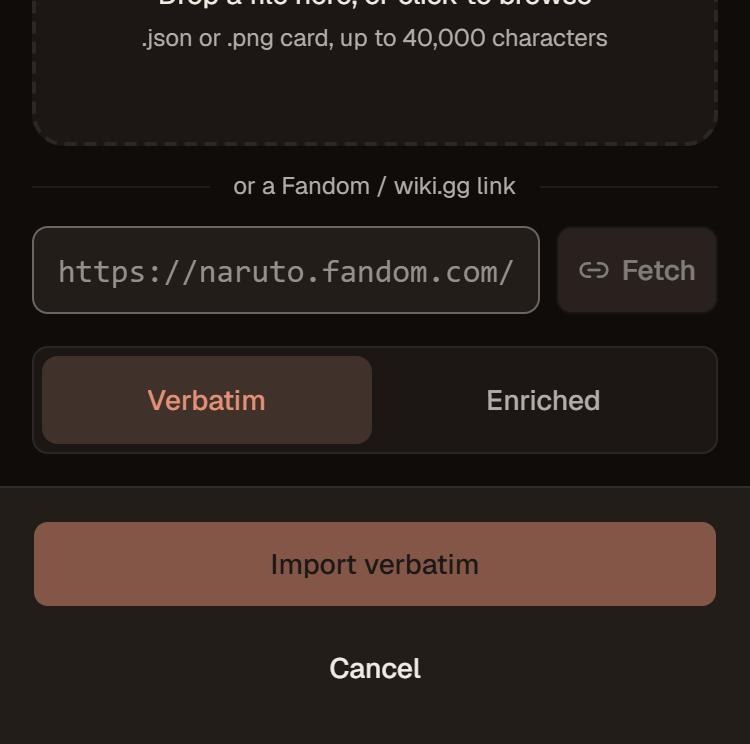
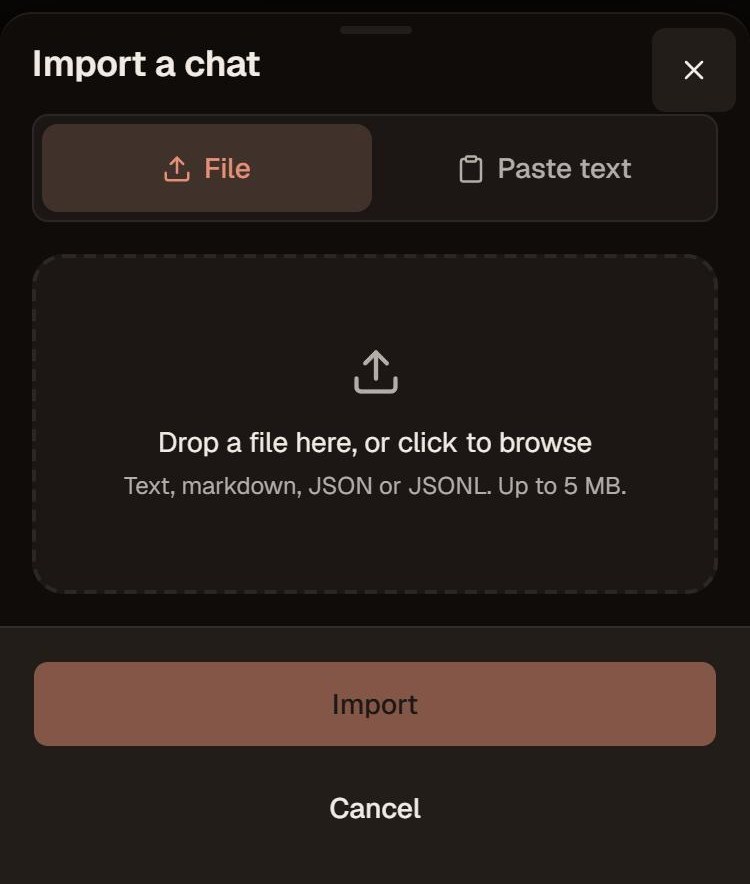
Then the chat. Open your Library and tap Import a chat. Drop the chat file in.
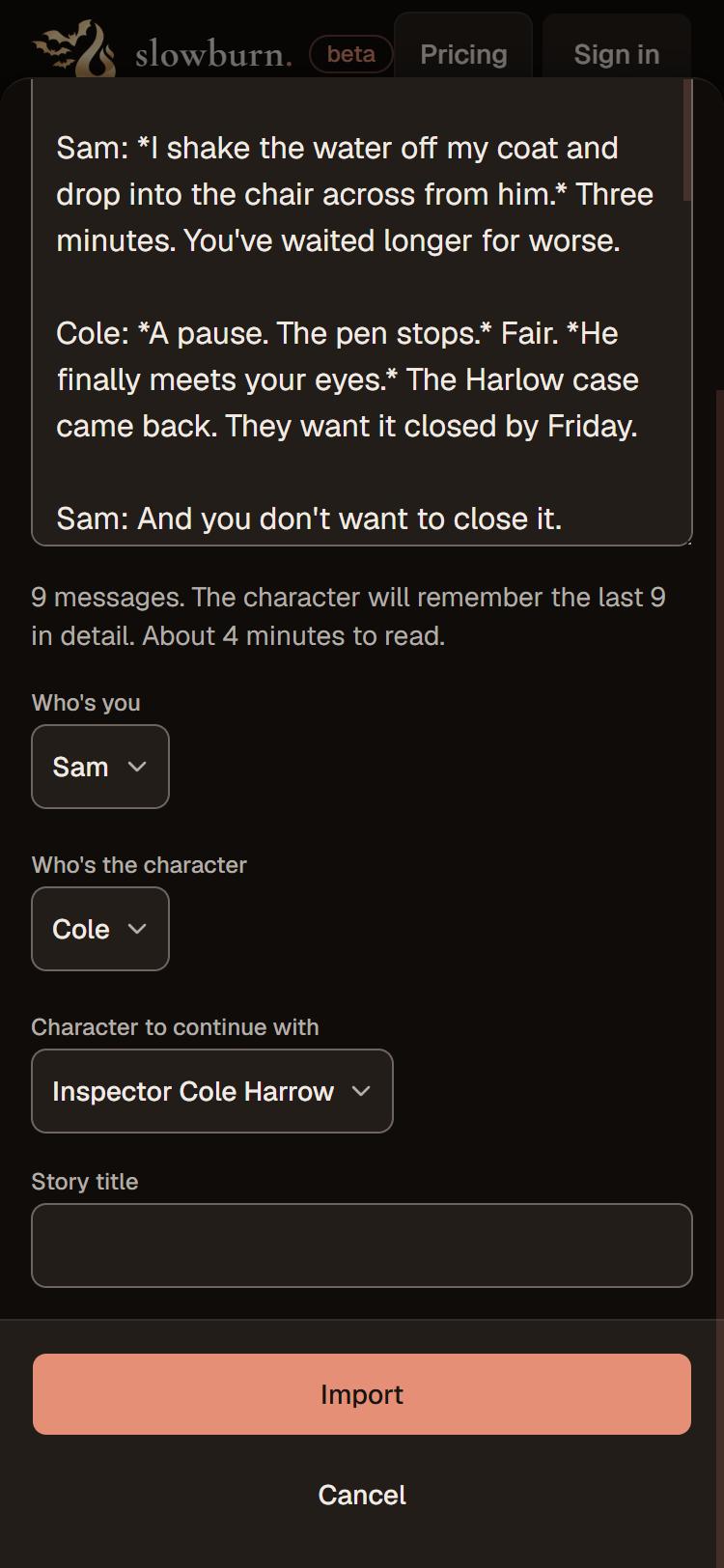
Check that it got the two of you the right way round, pick the character you just imported, give the story a name, and hit Import.
Then wait a few minutes. The story opens right away, and a small ribbon at the top tells you the character is reading the chat. When it is done, write the next message. They remember.
What comes over
- The last stretch of the chat shows up as messages you can scroll back through.
- Everything before that becomes memory: what happened, who was there, where things stand between you. That is what the character reads from, the same way they would in a story played here from the start.
- Anyone else who showed up in the chat lands in the cast.
- From the card: the character's description, greetings and scenario.
A few honest limits. A chat keeps its newest 500 messages. Files top out at 5 MB. You get two imports a week, one at a time, on every plan.
About the official export
Character.AI's own download is a zip, and we haven't held one yet. The first ones from this week's requests land in mid-November. Unzip it and try the messages file in Import a chat. If it reads, you get the same who's-who check as above. If it doesn't, we will have had one in hand by then, and this page will say what to do.
CAI Tools files need none of that. They already say who sent what.
Why here
We are not going to list features at you. The comparison page says plainly where we are better and where Character.AI still wins.
The part that matters for a move: the character remembers your story across weeks and hundreds of messages, not the last few. The free plan is fifty messages a day with full content, as many characters and stories as you want, and the same memory as paid. Adults only.
Questions
Do I need the character card, or is the chat enough?
Import the card. The chat import asks which character to continue with, and the card is what gives them their voice. If you only have the chat, make the character by hand first.
It got who's who backwards.
Change it in the two dropdowns before you press Import. CAI Tools files get it right on their own. Pasted text sometimes needs the nudge.
Can I just paste the chat?
Yes. Import a chat has a Paste text tab. Paste the whole thing, names and all.
Stuck? Ask in the Discord and we will sort it out.